Introduction
Target Stock Levels (TSL) specifies the optimal equipment stock, required to ensure equipment availability for the local export demand and bookings.
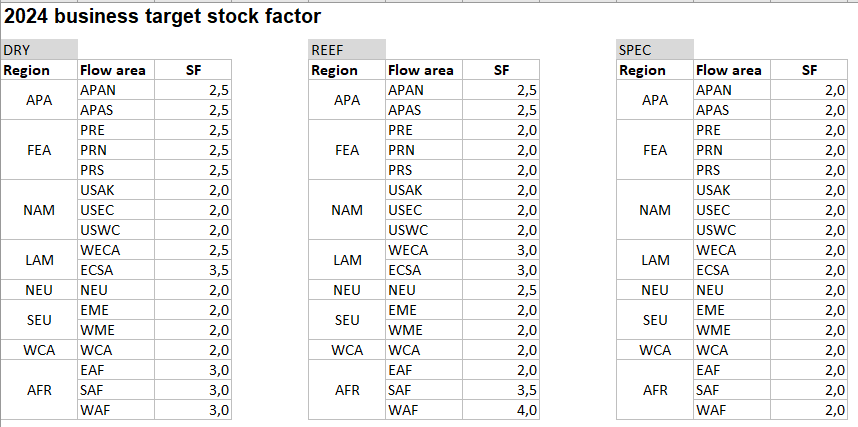
Target stock for a flow area is calculated using stock factor multiplier over export forecast, which is then split to lower granularity site, equipment group and week using Automatic TSL (see Automatic Target Stock Levels ) as baseline.
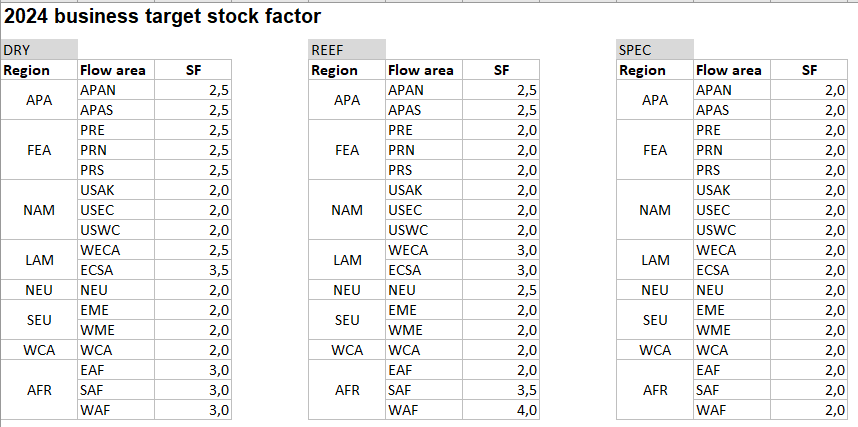
Stock factors are agreed with business and current values for 2024 can be seen below:
Change log
26/08 - WCA 20DRY Stock Factor to change from 2.0 to 2.3
16/09 - SAF REEF Stock Factor to change from 3.5 to 3.0
Contents
Overview of screen
Users can search for different geography levels and equipment using the search area on top.
The grid has rows for each geography code and equipment combination with separate rows showing TSL Min, TSL Max, TSL Mid, Export forecast and Stock factor.
This section describes how to manage TSL values for ESALR/40HIGH*
View TSL values
This section described how to view and override TSL values for
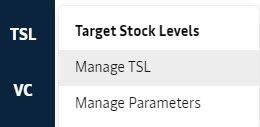
Find the TSL screen
Populate Global Filter and search
Select ESALR as the Pool Code, and Equipment as 40HIGH*, using the Global Filter.

View TSL values
The screen is populated with the below grid, where it is possible to view TSL values along with corresponding export forecast and stock factor for each week.

Here for week 35, we can see that TSL Mid is 1029(584 * 1.76) resulting in stock factor multiplier of 1.76 over export forecast of 584. Corresponding TSL Min and TSL Max are 729 and 1330 respectively.
Overriding TSL
Stock Factor can be modified by equipment operators at pool level. Pool is considered a good granularity to both allow control and keep overriding overhead manageable for users. ROCK keeps record on the lowest geographical level - site - as it allows aggregation back up to any higher geographical level. When a number is overridden on pool level, it is automatically split to all sites under the pool by system.
User should ensure that flow area stock factor remain within business target, when modifying TSL values. So, if target stock is being increased in a pool another pool target stock should be reduced to balance overall stock factor.
Aggregation of TSL
Stock is generally planned to be within the bounds of the target stock levels (i.e. min and max). On average, this means that the target stock level will be around the middle of the bounds and hit the bounds only occasionally. Consequently, it is expected that the aggregated stock will center around the middle of the aggregated target stock levels. Because we can understand the target stock level range as having a mean and a normally distributed spread, we can also combine the targets using the Pythagorean Theorem of Statistics, which specifies that for independent variables, their individual variances can be added together.
This approach requires us to capture the variances for each target stock level we want to include in our aggregation. The variance is set as the squared deviation, representing the distance from the mean to the relevant bound.
Component | Alias | Formula |
|---|---|---|
Middle Point | tsl_mid | tsl_mid = (tsl_min + tsl_max)/2 |
TSL Min Variance | tsl_min_var | tsl_min_var = (tsl_mid - tsl_min)² |
TSL Max Variance | tsl_max_var | tsl_max_var = (tsl_max - tsl_mid)² |
The combined targets are set by first capturing the combined deviation as the square root of the combined variances and then subtracting the value from the combined middle point.
Component | Alias | Formula |
|---|---|---|
Combined Middle Point | tsl_cmid | tsl_cmid = ⅀ tsl_mid, across targets |
Combined TSL Min | tsl_cmin | tsl_cmin = tsl_cmid - √( ⅀ tsl_min_var, across targets) |
Combined TSL Max | tsl_cmax | tsl_cmax = tsl_cmid - √(⅀ tsl_max_var, across targets) |
Managing TSL Parameters
TSL Parameters are used for calculating automatic TSL (see Automatic Target Stock Levels ) which is used as a baseline to split stock factor TSL from flow area to site.
So, equipment operators should keep the parameters aligned to operational reality to allow system to arrive at a good target stock level.
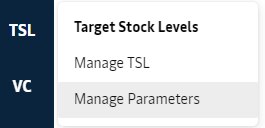
Go to TSL > Manage Parameters
Populate Global Filter and search
Select ESALR as the PoolCode, and Equipment as 40HIGH*, using the Global Filter.
Analyse grid with default values
The screen is populated with the below grid, where it is possible to set specific input parameters for specific buffers.

If you mouseover the column headers, a small description will show up with following values.
Parameter | Manages Buffer | Description |
|---|---|---|
Equipment Preparation Days | Equipment Preparation | The number of days required to prepare each unit for import/export; |
z-score | Imbalance Volatility | The z-score specifies how much standard deviation is used to set buffers related to accuracy |
Days Without Supply | Supply Reliability | Accepted days without supply, used to manage the required buffer for deficit locations |
Balance of Trade Days | Balance of Trade | Number of days of the weekly balance of trade to keep as buffer |
The default value on pool level (e.g. 3 equipment preparation days on ESALR) can be managed as a default value for all related sites. By default, all sites are inheriting the pool default, unless a site-specific value is given.
4. Update Values
The values for ESALRTM are updated with following values
Equipment Preparation Days: 4.5
Days Without Supply: 3
Balance of Trade Days: 2
The result will look like this, where effective value used in calculations are shown right aligned in the cell and the inherited value shown in upper left corner.
The new values are applied, and the new target stock level reflect the same day.
Attachments:
 image2018-8-15_13-40-15.png (image/png)
 image2018-8-15_14-9-13.png (image/png)
 image2018-8-15_14-11-35.png (image/png)
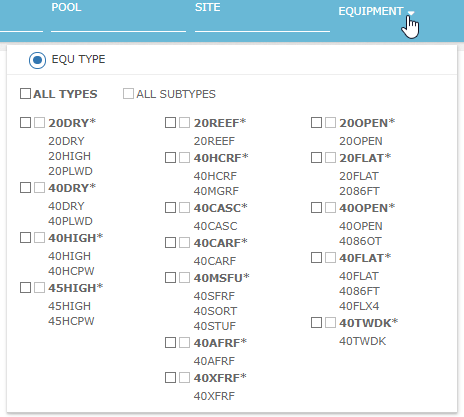 image2018-8-15_14-16-20.png (image/png)
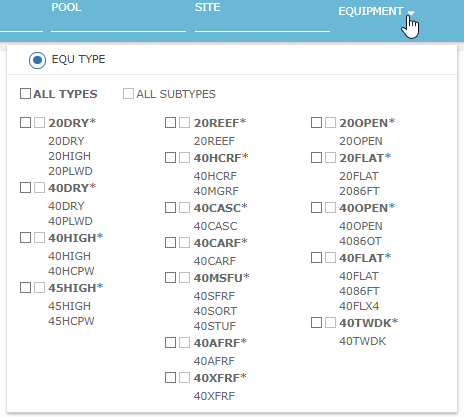 image2018-8-15_14-16-34.png (image/png)
 image2018-8-15_14-19-3.png (image/png)
 image2018-8-15_14-22-37.png (image/png)
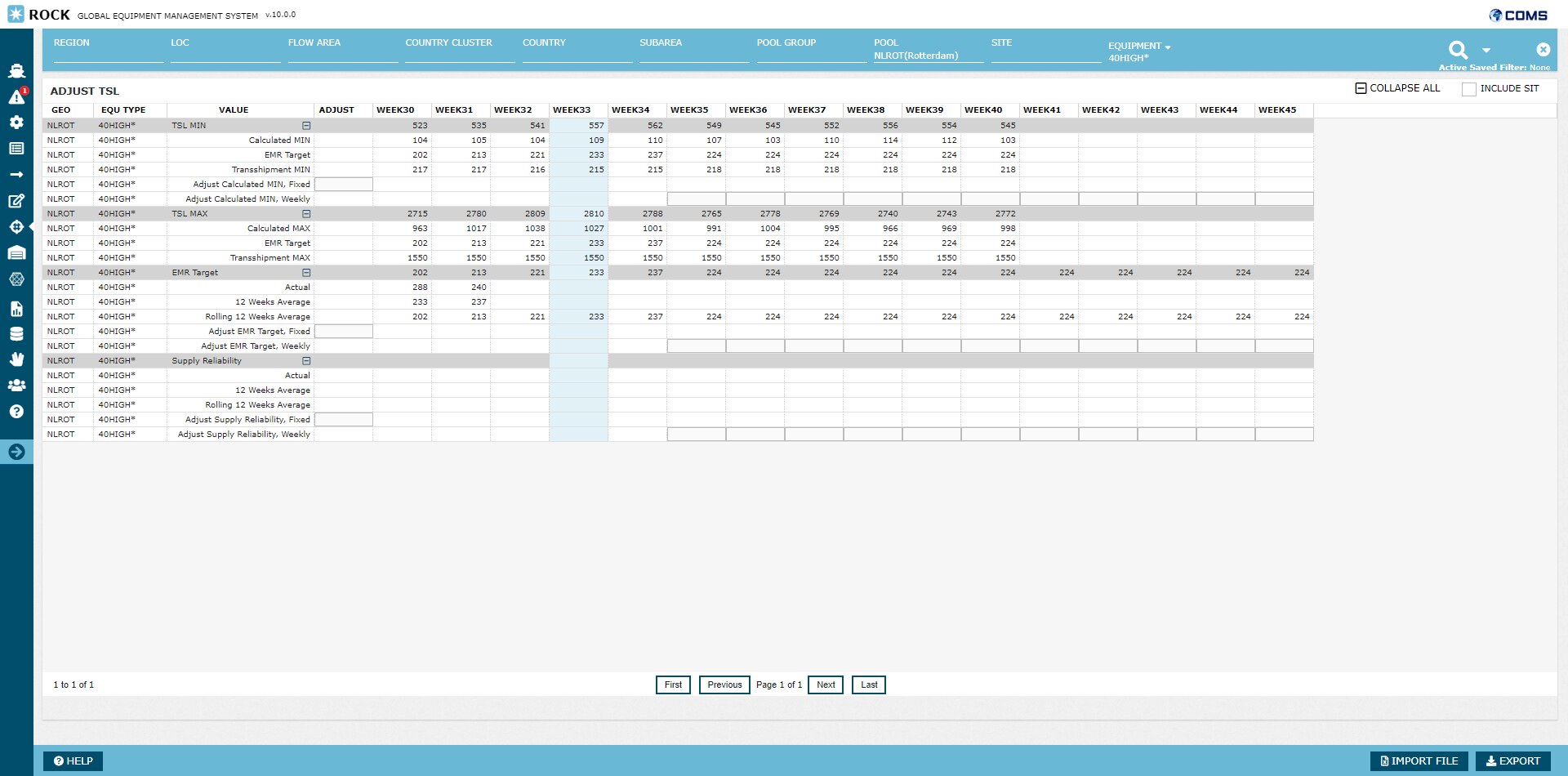 image2018-8-15_14-23-35.png (image/png)
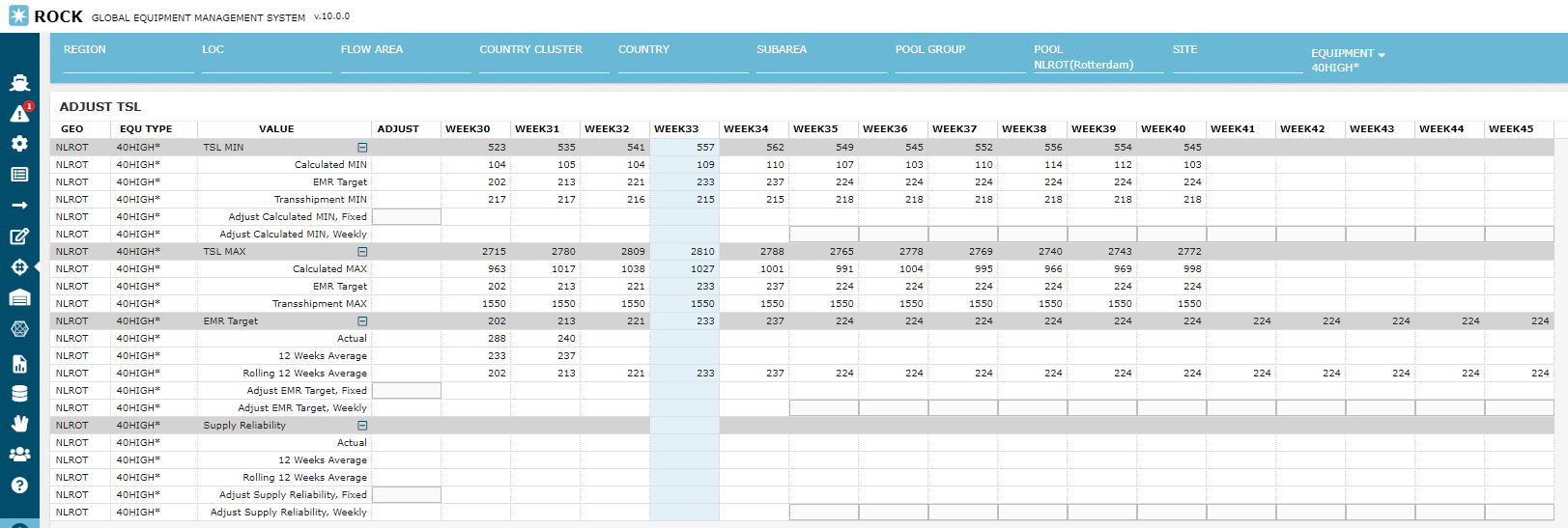 image2018-8-16_7-53-0.png (image/png)
 image2018-8-16_8-10-3.png (image/png)
 image2018-8-16_8-27-38.png (image/png)
 image2018-8-16_8-35-35.png (image/png)
 image2018-8-16_9-35-23.png (image/png)
 image2018-8-16_9-36-22.png (image/png)
 image2018-8-16_9-37-30.png (image/png)
 image2018-8-16_9-38-39.png (image/png)
 menu_tsl_params.png (image/png)
 image2020-5-18_15-8-57.png (image/png)
 image2020-5-18_15-9-24.png (image/png)
 image2020-5-18_15-27-17.png (image/png)
 menu_manage_tsl.png (image/png)
 image2020-5-18_15-31-27.png (image/png)
 image2020-5-18_15-32-1.png (image/png)
 image2020-5-18_15-32-49.png (image/png)
 image2020-5-18_15-34-18.png (image/png)
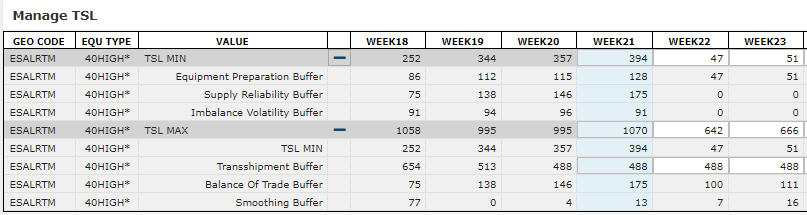 image2020-5-18_15-41-36.png (image/png)
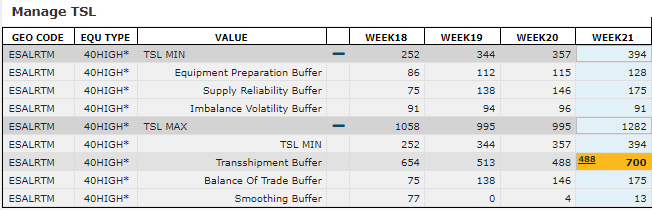 image2020-5-18_15-43-24.png (image/png)
 image2020-5-18_15-43-58.png (image/png)
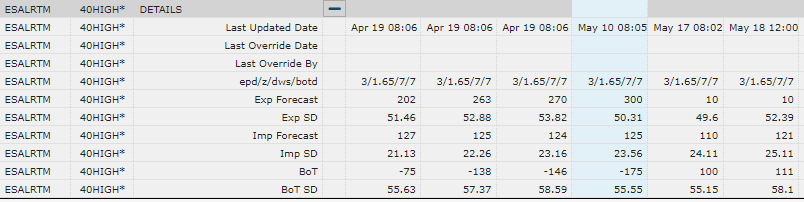 image2020-5-18_15-49-34.png (image/png)
 image2020-5-18_15-53-27.png (image/png)
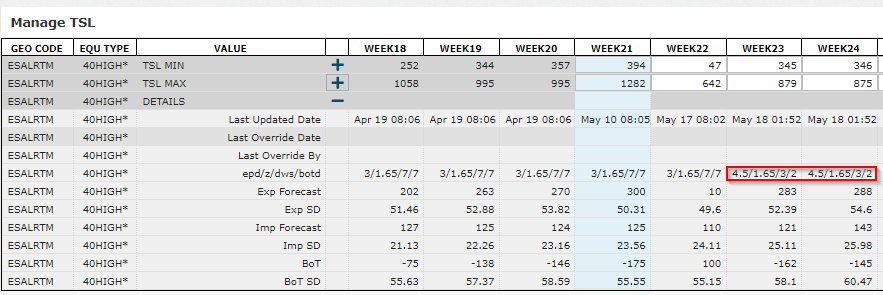 image2020-5-18_15-59-9.png (image/png)
 image2020-5-18_16-1-6.png (image/png)
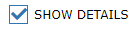 image2020-5-18_16-1-44.png (image/png)
 image2020-5-18_16-7-2.png (image/png)
 image2024-2-23_15-1-33.png (image/png)
 menu_manage_tsl.png (image/png)
 menu_tsl_params.png (image/png)
 stock_factors.png (image/png)
 stock_factors.png (image/png)
 image-20240701-051240.png (image/png)
 image-20240702-055234.png (image/png)
 image-20240702-055353.png (image/png)
 image-20240827-055038.png (image/png)
