Manager can also off-board user that are part of their team from ROCK in Saviynt.
Manager can also change user access in a similar flow as well.
Steps:
Go to Saviynt using this link: https://maersk.ssmcloud.net/ECMv6/request/requestHome
Go to
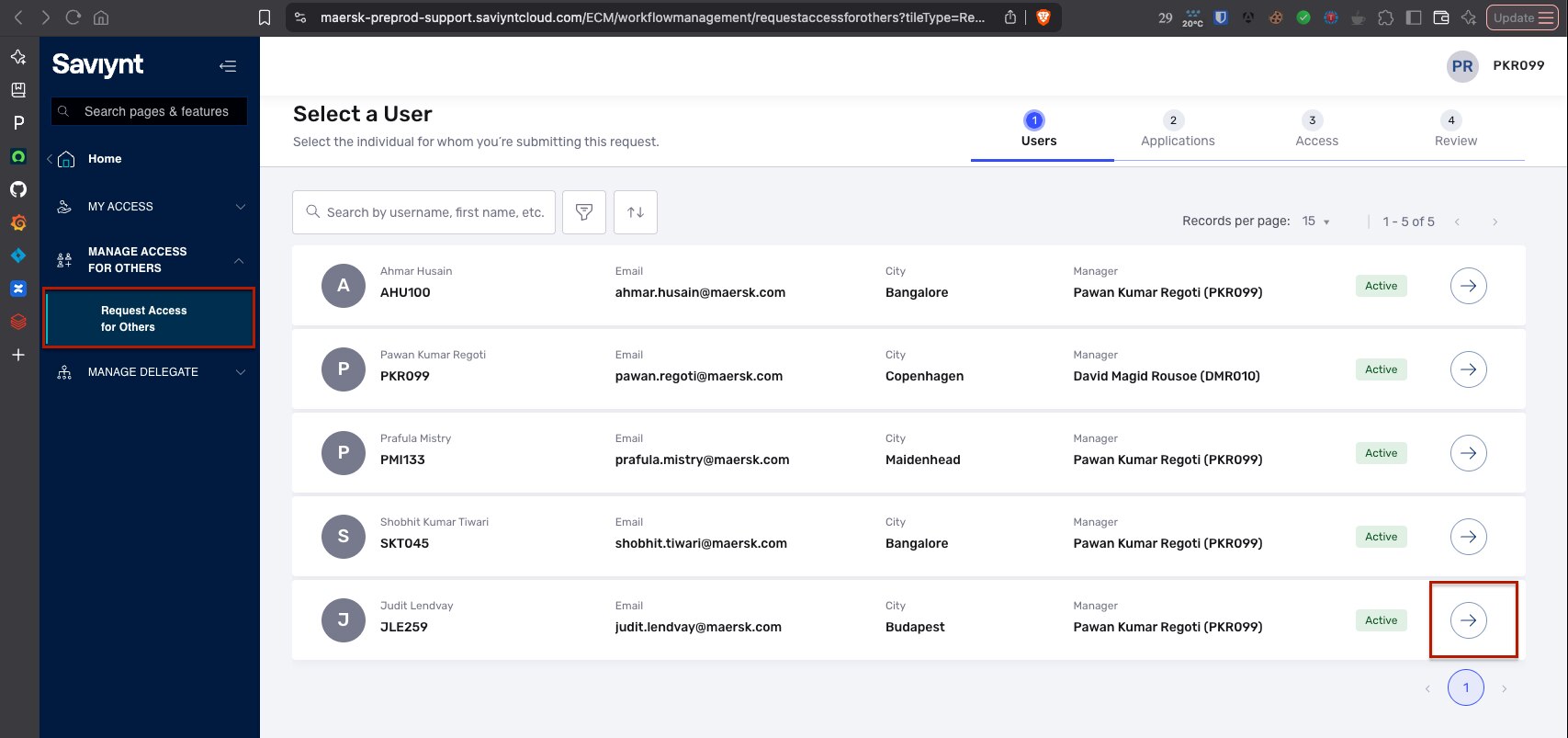
Manage Access For Others→Request Access For OthersSelect the user you want to revoke access by selecting the arrow
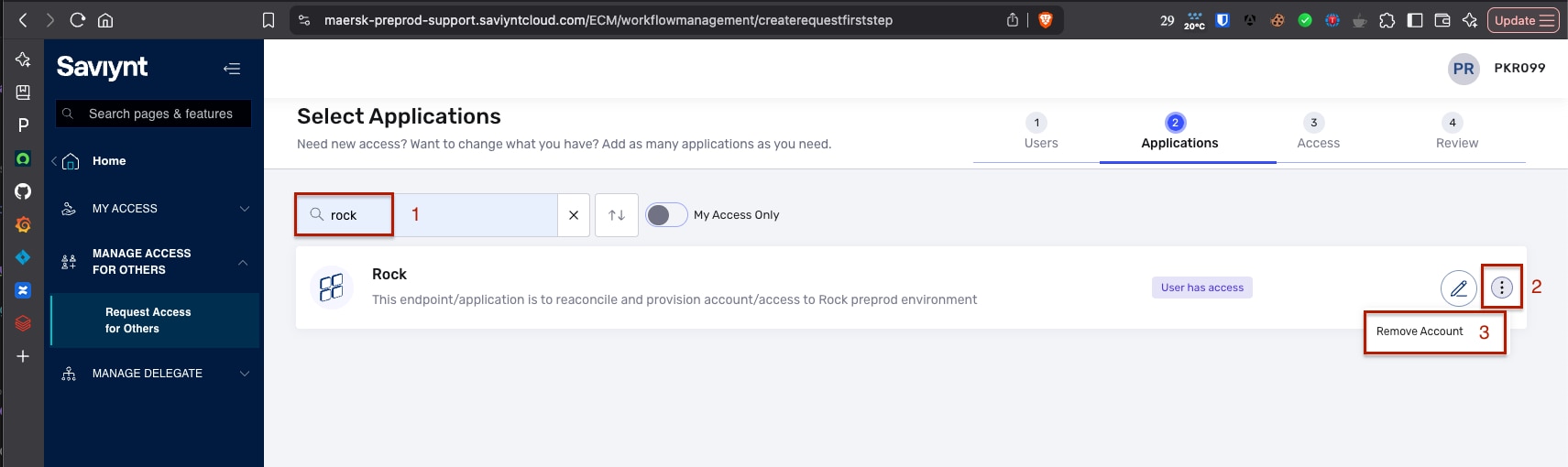
Search for application you want to revoke access for (in this case ROCK) and press Enter
you need to select the 3 dots on the right and click on
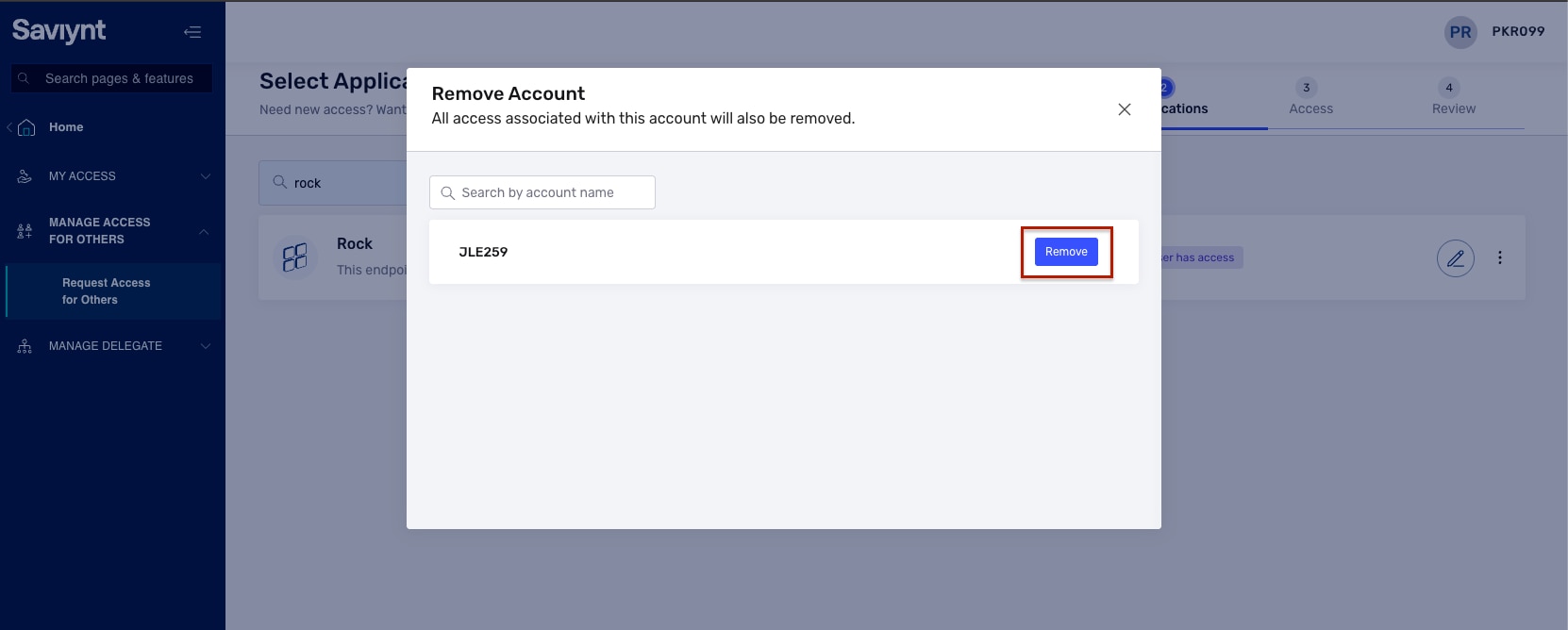
Remove AccountSystem will ask you to confirm in a popup
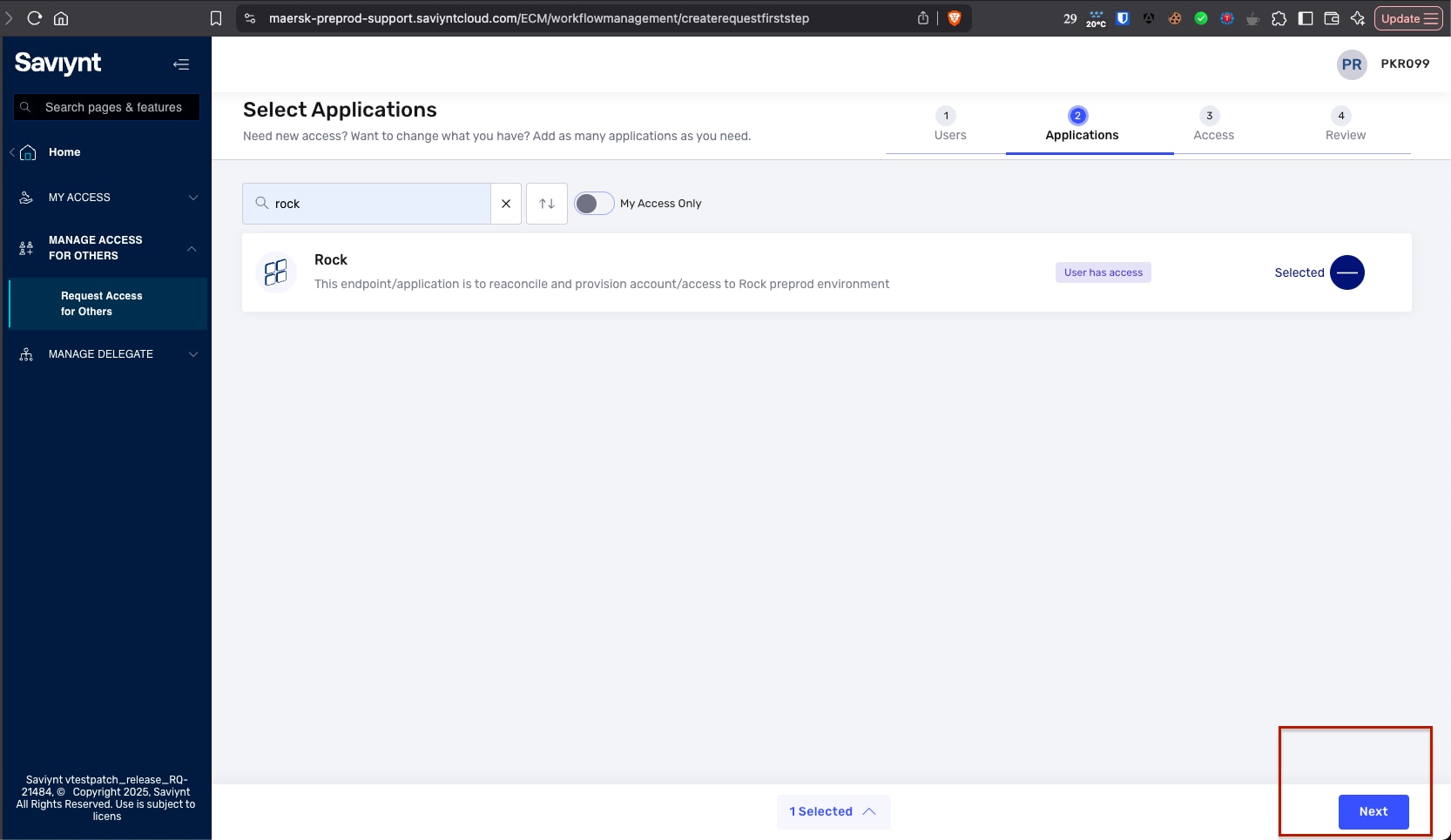
Click
Next
Add
Commentsexplaining why are you requesting access to remove account and then clickConfirm
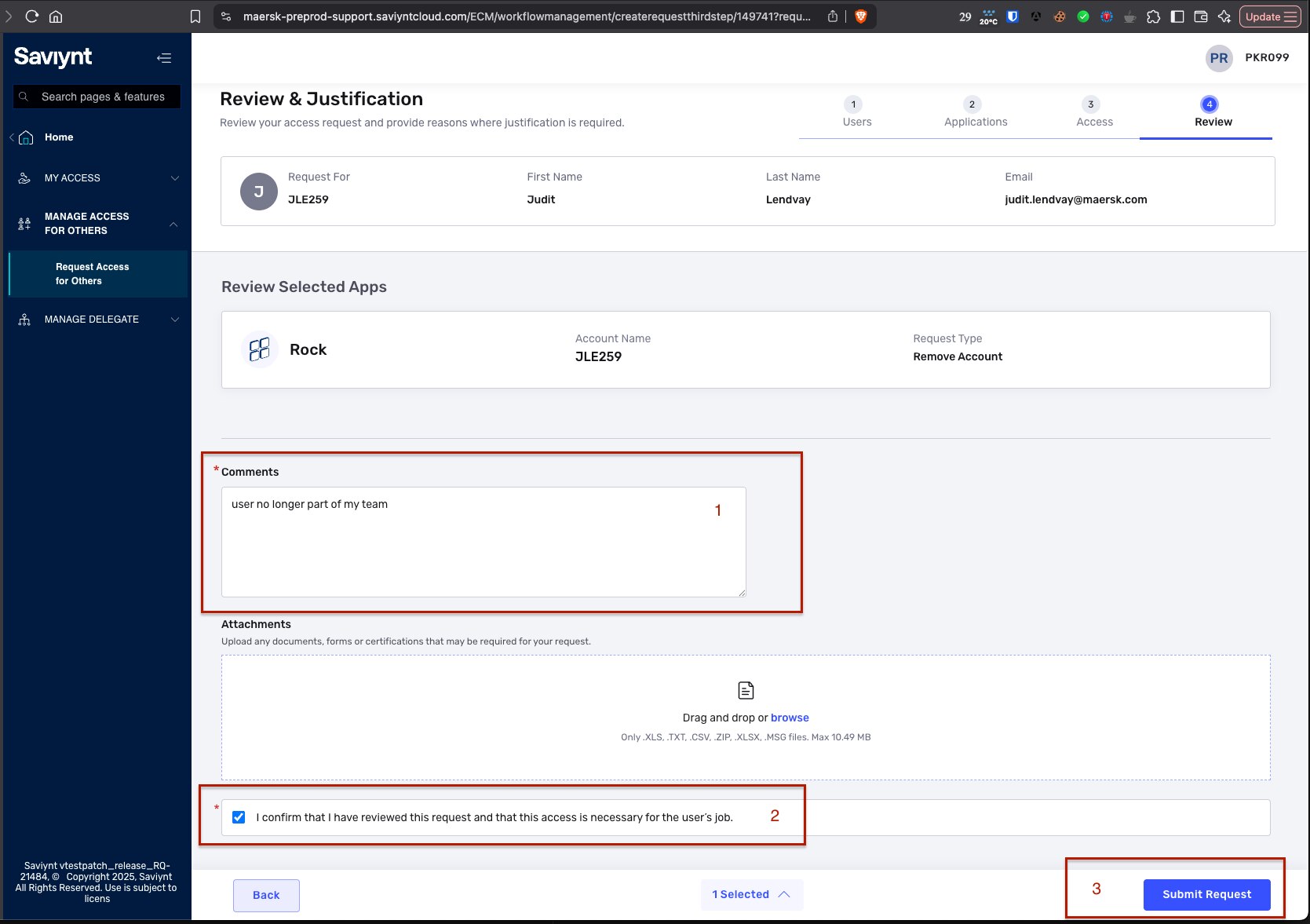
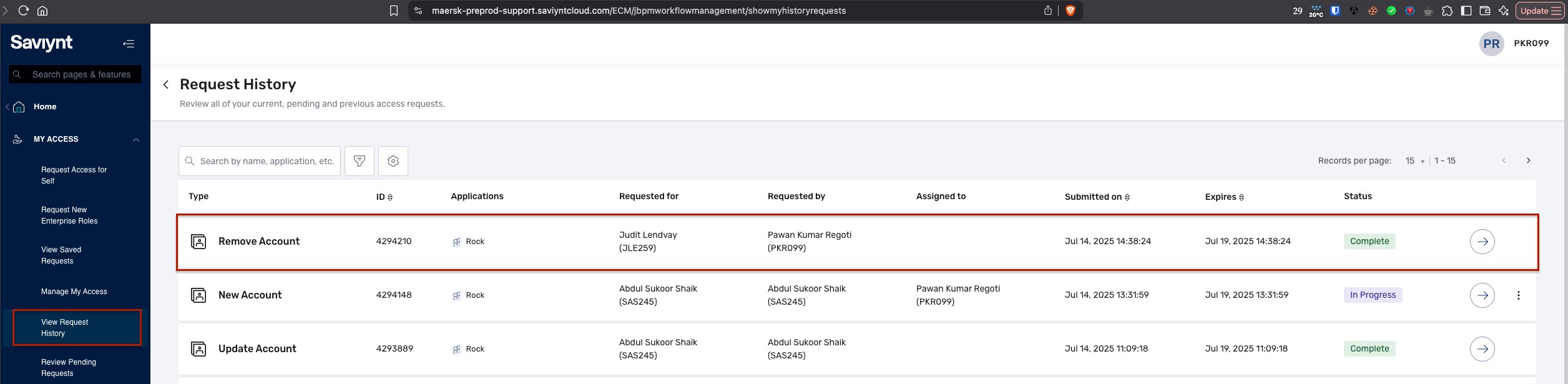
Request will be raised and you can follow its progress in
My Access→View Request HistoryIt might take around 10 mins to revoke account
Attachments:
 Screenshot 2025-07-14 at 14.36.07.png (image/png)
 Screenshot 2025-07-14 at 14.37.05.png (image/png)
 Screenshot 2025-07-14 at 14.36.47.png (image/png)
 Screenshot 2025-07-14 at 14.37.25.png (image/png)
 Screenshot 2025-07-14 at 14.38.22.png (image/png)
 Screenshot 2025-07-14 at 15.31.12.png (image/png)
