Introduction
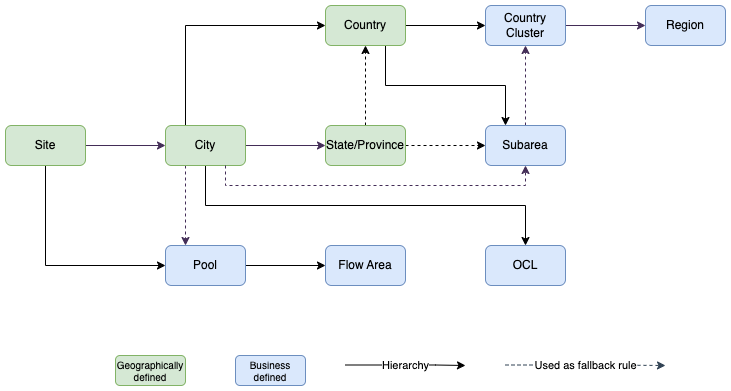
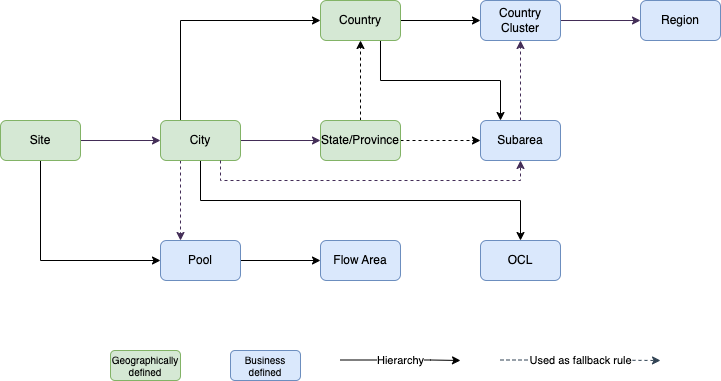
Geography is a major component of effectively doing equipment planning, and is an important component of the ROCK application. The most granular geo level is Site, which is a location where Maersk manages the stock and inbound/outbound container flow. ROCK allows aggregation of site-level data in an operational hierarchy (e.g. Site → Pool → Flow Area → ...) and commercial hierarchy (e.g. Site → Country → Country Cluster → Region) in different screens displaying Using the Global Filter.
All geo data and relevant geo relations are sourced from the GEO component in the SMDS (Single Master Data Store) Application. As such, the geo data is not managed in ROCK.
Geo Data in SMDS
The current data model for SMDS geo based on two main data sourced
SiteCodes and PoolCode are managed in RKCM
All other geo relations are managed directly in SMDS
Changes in SMDS system can be done quickly, and will be reflected in ROCK shortly after. Changes in RKCM however, includes some limitations caused by the "validity from" field in the data model. When making changes to existing sites and site to pool relationships, the "validity from" is updated to the current day. When adding new sites in RKCM, the "validity from" field is automatically set to the first day of the future month. This means for all new sites, ROCK will only show new sites, from that date.
Following is the Geographical Hierarchy inspired by SMDS and maintained in ROCK.
Geo Data in ROCK
Rock stores a local copy of geo data. It is reset every 7 days.
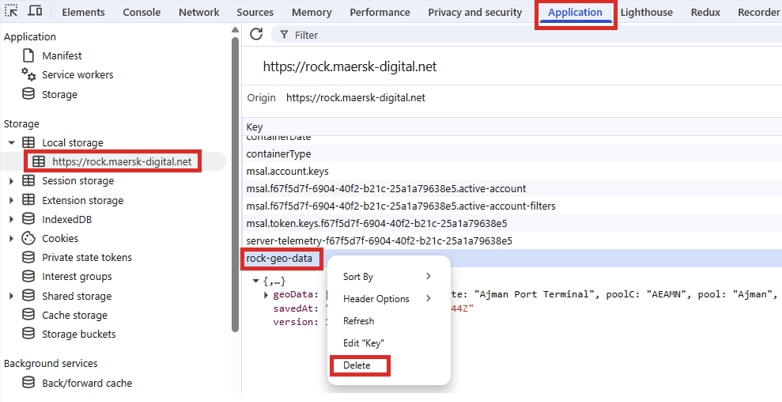
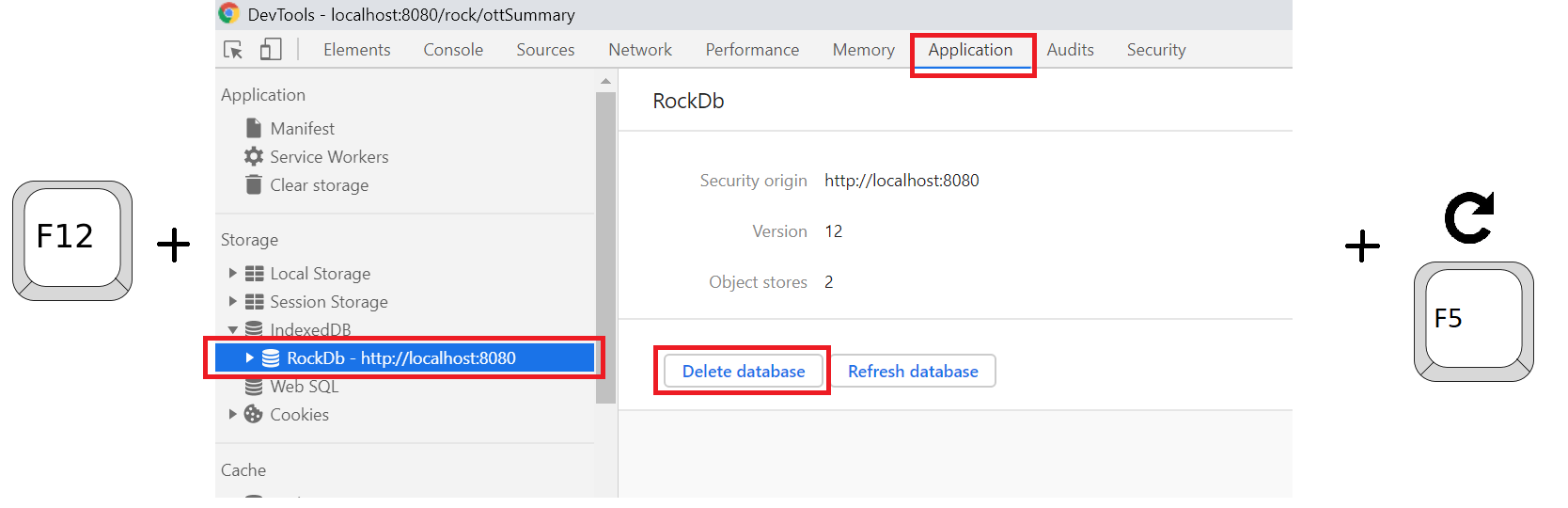
If new Geo Data is needed, each user can get it deleting the current geo data from his browser, that action will force ROCK to download the new geos:
Press F12 on Chrome.
Go to Application Tab.
On the Storage section, open Local storage and click on Rock URL.
Right-click on rock-geo-data and delete it.
Refresh your page.
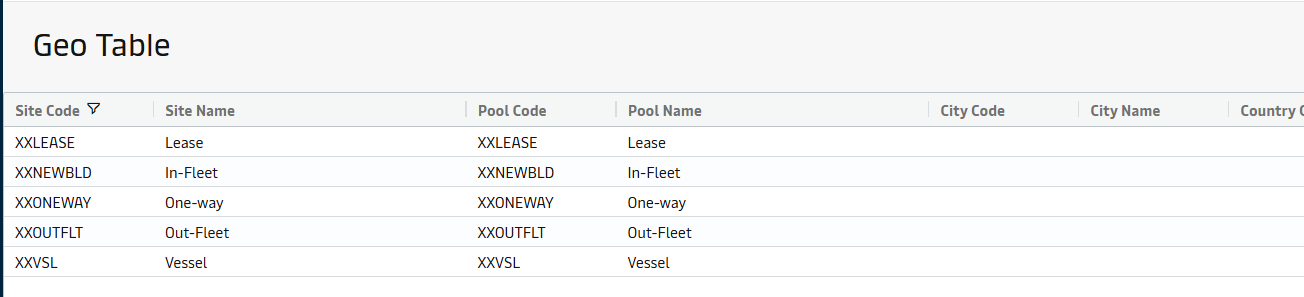
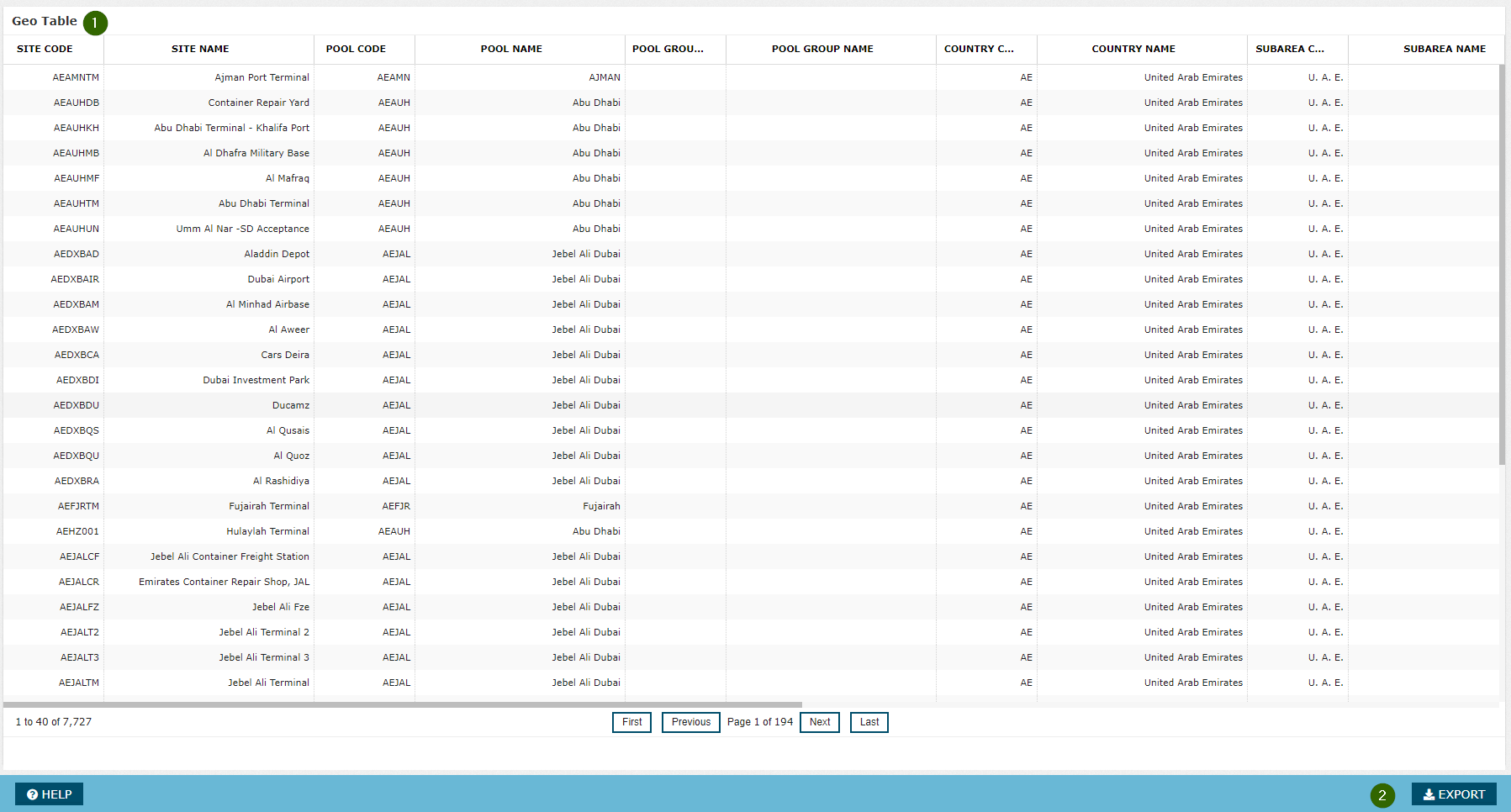
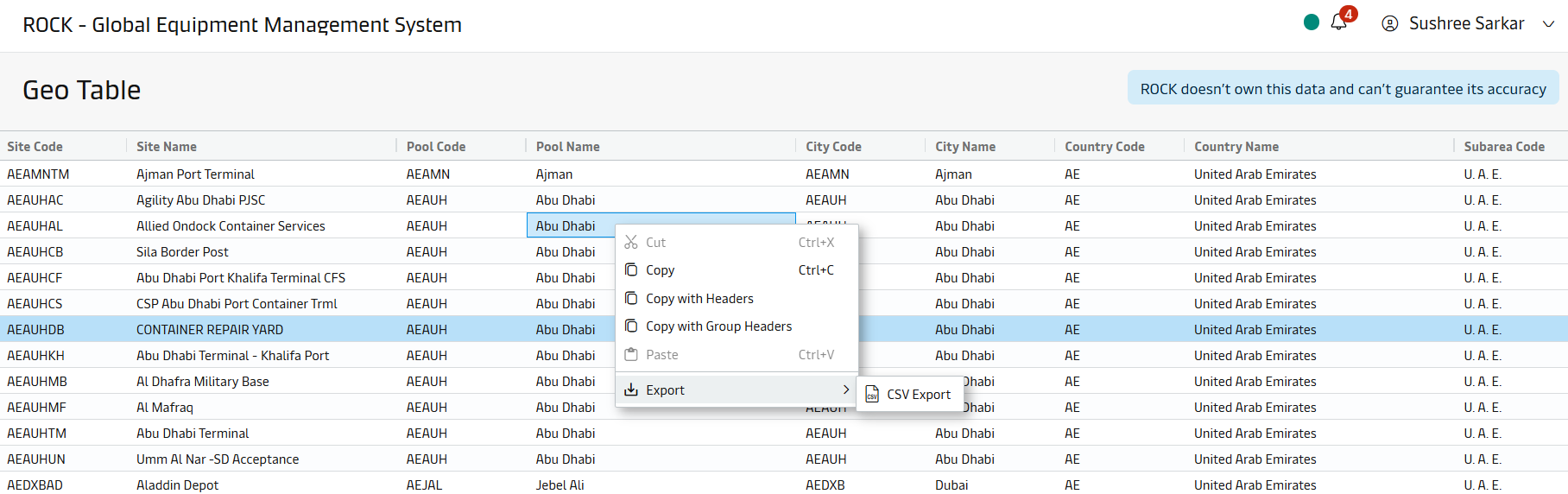
Geo data is sourced from Master Data -> Geo Table screen
Attachments:
 image2018-9-26_13-21-34.png (image/png)
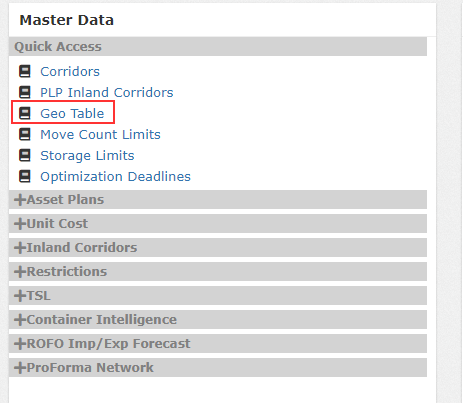 image2018-9-26_13-22-56.png (image/png)
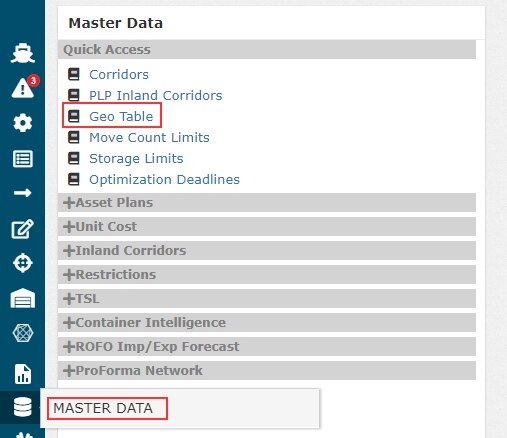 image2018-9-26_13-24-32.png (image/png)
 Rock_GEOLocation_2eecb497-f597-4662-8a5c-96a617ab0cbb.xlsx (application/vnd.openxmlformats-officedocument.spreadsheetml.sheet)
image2018-9-26_13-28-19.png (image/png)
Rock_GEOLocation_2eecb497-f597-4662-8a5c-96a617ab0cbb.xlsx (application/vnd.openxmlformats-officedocument.spreadsheetml.sheet)
image2018-9-26_13-28-19.png (image/png)
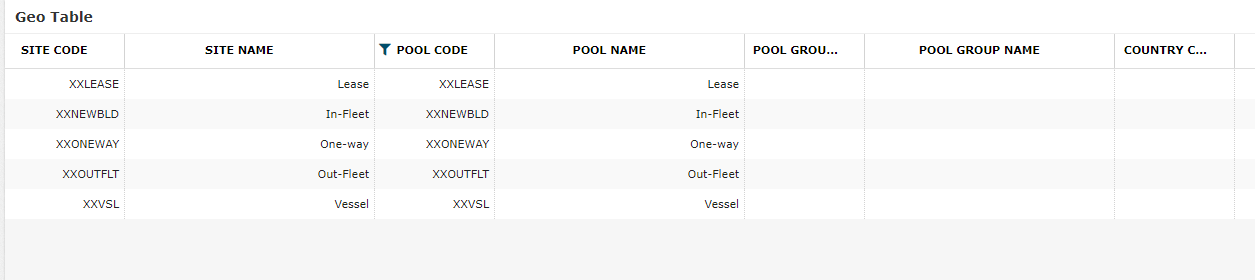 image2018-9-26_13-29-17.png (image/png)
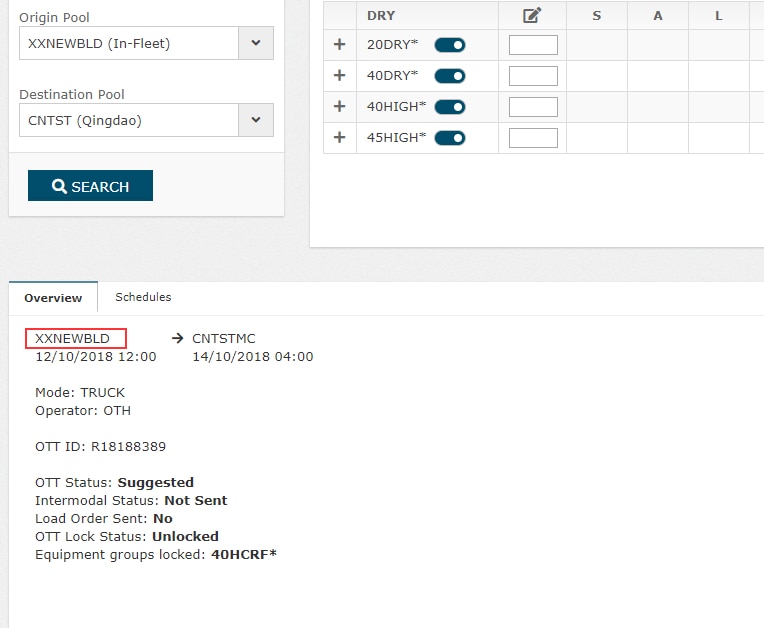 image2019-4-3_15-43-33.png (image/png)
 image2020-3-2_12-9-58.png (image/png)
 Geographical hierarchy-bd28b6c58eff222c7330cb619d7f60f9e7b00afa.png (image/png)
 download (1).png (image/png)
 image2025-3-24_16-44-18.png (image/png)
 image2025-3-24_16-52-30.png (image/png)
 export.csv (text/csv)
image2025-3-26_14-3-26.png (image/png)
export.csv (text/csv)
image2025-3-26_14-3-26.png (image/png)